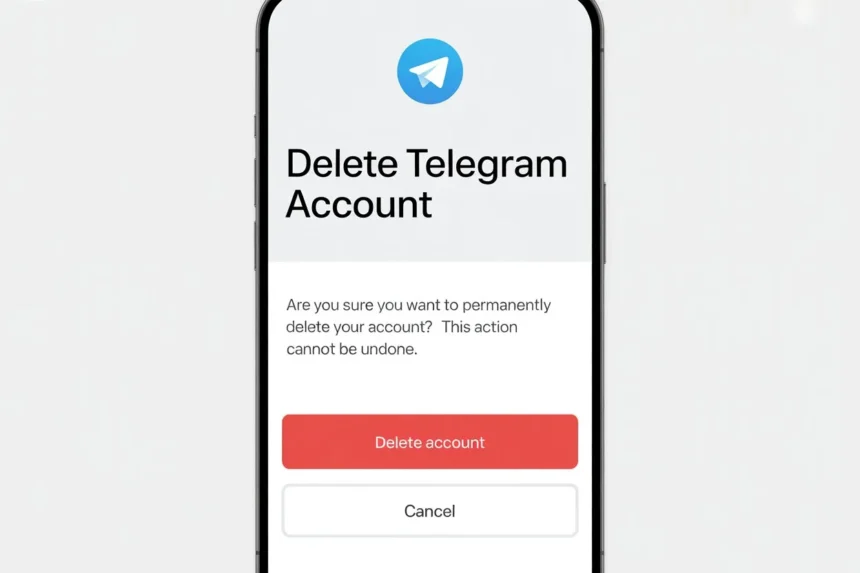
Maybe you’re tired of too many messages, worried about your privacy, or just want a break from constant notifications. Whatever your reason is, many people today are searching for how to delete Telegram account quickly and safely.
The good news is that deleting your Telegram account is not complicated. But there’s one important thing you should know, it’s a permanent step. Once you delete Telegram account, all your chats, contacts, and data will be gone forever.
Understanding Telegram and Why Users Leave
Telegram has built a strong reputation as a secure and feature-rich messaging platform. It offers cloud syncing, large group support, file sharing, and optional end-to-end encrypted chats. Despite these features, users still choose to delete Telegram account for several reasons.
Privacy and Data Concerns
While Telegram markets itself as a privacy-focused platform, some users are still cautious about how their data is stored in the cloud. This concern becomes stronger for those who prioritize complete control over their personal information. As a result, they look for ways to permanently delete Telegram account.
Digital Detox and Mental Well-being
Another growing reason is the desire for a digital detox. Constant notifications, endless group messages, and information overload can negatively impact productivity and mental health. Deleting Telegram account can feel like a step toward regaining focus and peace of mind.
Switching to Alternative Platforms
People often move to other messaging apps where their close contacts are more active. In such cases, maintaining multiple apps feels unnecessary, prompting users to delete Telegram account entirely.
Reducing Digital Clutter
Over time, Telegram accounts accumulate chats, media, and files. Even though Telegram is cloud-based, this clutter can feel overwhelming. Deleting the account provides a clean slate.
Important Things to Know Before You Delete Telegram Account
Before you proceed, it is essential to understand that deleting your Telegram account is not a reversible action. Many users regret rushing into this decision without fully understanding its consequences.
Permanent Deletion of Data
When you delete Telegram account, all your data is permanently erased. This includes messages, photos, videos, contacts, and group memberships. There is no backup system that allows you to restore this information later.
No Recovery Option
Unlike some platforms that offer account recovery within a certain time frame, Telegram does not provide such an option. Once deleted, your account is gone forever.
Waiting Period for Re-registration
Telegram may temporarily restrict you from creating a new account using the same phone number immediately after deletion. This is a security measure to prevent abuse.
Impact on Groups and Channels
If you were part of any groups or channels, you will be removed instantly. If you created any, they may continue to exist, but without your administrative control.
Requirements Before Deleting a Telegram Account
To successfully delete a Telegram account, you need to ensure a few basic requirements are met.
Access to Your Phone Number
Your Telegram account is linked to your phone number. You must have access to this number to receive the verification code needed for deletion.
Stable Internet Connection
A smooth and uninterrupted internet connection is necessary to complete the process without errors.
Access to Telegram App
Although deletion is done through a browser, you will need access to the Telegram app to receive the confirmation code.
Step-by-Step Guide to Delete Telegram Account
Deleting a Telegram account is not done through the mobile app. Instead, Telegram requires users to use a web browser for account deactivation.
Opening the Telegram Deactivation Page
The first step is to visit the official Telegram deactivation page. This is the only authorized way to delete a Telegram account permanently.
Entering Your Phone Number Correctly
You will be prompted to enter your phone number in international format. It is important to include the correct country code. For example, if you are in India, your number should begin with +91.
Receiving and Entering the Confirmation Code
After submitting your phone number, Telegram will send a confirmation code. This code is usually delivered داخل the Telegram app rather than via SMS. You need to copy this code and enter it on the website.
Confirming Your Decision
Once verified, you will see an option to delete your account. Telegram may ask for feedback, but providing a reason is optional. After clicking delete, you will be asked to confirm again.
Completing the Deletion
After final confirmation, your Telegram account will be permanently deleted. This action is immediate and cannot be undone.
How to Delete a Telegram Account on Mobile
Deleting your Telegram account on mobile is not done directly inside the app. You need to use your phone’s browser.
Step 1: Open the browser on Your Mobile
First, open any browser on your phone, like Chrome or Safari. Then search for the Telegram account deletion page.
Step 2: Enter Your Phone Number
Now enter your phone number with your country code. For example, if you are in India, type +91 followed by your number.
Make sure your number is correct, or you will not receive the code.
Step 3: Enter the Login Code
Telegram will send a confirmation code to your account inside the Telegram app. Open the app, copy the code, and paste it into the browser.
Step 4: Tap on Delete Account
After entering the code, you will see the option to delete your Telegram account. Tap on it.
Step 5: Confirm Deletion
Telegram will ask you to confirm your decision again. Once you confirm, your account will be deleted permanently.
How to Delete a Telegram Account on Desktop
If you are using a laptop or computer, you can also delete your Telegram account easily using a browser.
Step 1: Open a Web Browser
On your desktop, open any browser like Chrome, Edge, or Firefox.
Step 2: Visit Telegram Deletion Page
Search for the Telegram account deletion page and open the official link.
Step 3: Enter Your Phone Number
Type your phone number with the correct country code.
Step 4: Enter Confirmation Code
Just like on mobile, Telegram will send a code to your Telegram app. Copy the code and enter it on the website.
Step 5: Click Delete Account
After verification, click on the delete account option.
Step 6: Final Confirmation
Click confirm again, and your Telegram account will be permanently deleted.
What Happens After You Delete a Telegram Account
Understanding what happens next is crucial before making your decision.
Complete Removal of Data
All your personal data, including chats, contacts, and media, is erased from Telegram’s servers. There is no way to retrieve it.
Removal from All Chats and Groups
You will be automatically removed from all conversations. Other users will no longer see your account as active.
Loss of Communication History
Your entire chat history disappears. Even if you rejoin Telegram later, your old messages will not return.
Username Reset
Your username may become available for others to claim after deletion.
Can You Recover a Deleted Telegram Account
This is one of the most important questions users ask before proceeding.
No Recovery Possibility
Once you delete Telegram account, there is no way to recover it. Telegram does not store backups that users can restore later.
Starting Fresh
If you decide to use Telegram again, you will need to create a new account. This new account will not have any of your previous data.
Common Issues and Troubleshooting
While the process is straightforward, some users face difficulties.
Not Receiving the Code
If you do not receive the confirmation code, ensure that your internet connection is stable and that you are checking the Telegram app.
Incorrect Number Format
Entering your phone number incorrectly can prevent the process from working. Always include the country code.
Temporary Restrictions
If you attempt to delete your account multiple times, Telegram may temporarily block further attempts.
Alternatives to Deleting Telegram Account
If you are unsure about permanently deleting your account, there are other options worth considering.
Taking a Break
You can simply uninstall the app from your device. This stops notifications without deleting your data.
Managing Notifications
Telegram allows you to mute chats and customize notifications. This can significantly reduce distractions.
Adjusting Privacy Settings
You can enhance your privacy by limiting who can see your phone number, profile picture, and last seen status.
Cleaning Up Your Account
Deleting unnecessary chats and media can help you declutter without removing your account entirely.
Pros and Cons of Deleting a Telegram Account
Benefits of Deletion
Deleting your Telegram account can help you reduce distractions, improve focus, and ensure your data is no longer stored on the platform.
Drawbacks of Deletion
On the other hand, you lose all your data permanently. You may also face a delay if you want to rejoin using the same phone number.
Conclusion
Deleting your Telegram account is a straightforward yet irreversible process. By following the steps outlined in this guide, you can ensure that the process is completed correctly and without confusion.
Before you proceed, take a moment to back up any important data and think about whether deletion is truly necessary. If you are confident in your decision, you can move forward knowing exactly what to expect.
Frequently Asked Questions
No, both are completely different. When you uninstall Telegram, the app is removed from your phone but your account, chats, and data still exist. When you delete Telegram account, everything is permanently erased.
Deleting your Telegram account takes only a few minutes. Once you confirm the deletion, your account is removed instantly.
No, you cannot recover it. Once you delete Telegram account, all your data is permanently deleted and cannot be restored.
Yes, you can use the same phone number again. However, Telegram may ask you to wait for some time before you can register again.
In most cases, your messages will be removed from chats. However, in some group conversations, certain messages may still remain visible to others.
No, Telegram does not allow account deletion from the app. You must use a web browser and visit the official deletion page to delete Telegram account.