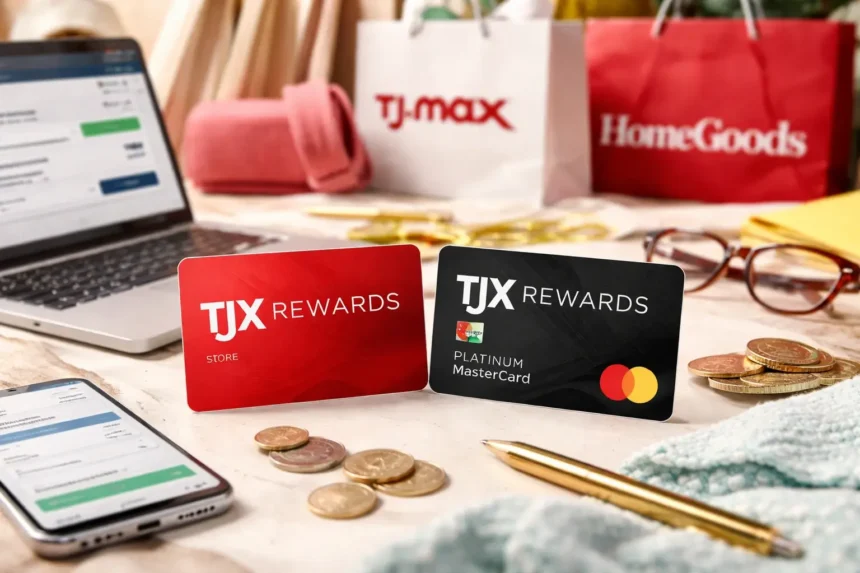
The TJ Maxx credit card system is managed through a single platform operated by Synchrony Bank. Whether you are trying to log in, pay your TJ Maxx credit card bill, manage a Marshalls credit card, or check TJX Rewards, all account-related actions are handled through one secure online portal. Understanding how this system works helps cardholders avoid confusion, missed payments, and login errors.
What Is the TJX Rewards Credit Card?
The TJX Rewards Credit Card is issued and managed by Synchrony Bank and is designed for frequent shoppers at TJX family stores. Cardholders earn rewards points for every eligible purchase, which can later be redeemed for store certificates. The card is widely used across TJ Maxx, Marshalls, and other TJX brands, making it a popular option for loyal customers.
There are two main versions of the card:
1. TJX Rewards Credit Card (Store Card)
- Can only be used at TJX family stores
- Earns 5 points per dollar spent at TJX locations
- Best for frequent in-store shoppers
2. TJX Rewards World Mastercard
- Can be used anywhere Mastercard is accepted
- Earns TJX Rewards points at TJX stores and elsewhere
- Includes Mastercard benefits such as fraud protection
Both cards are managed online through the Synchrony Bank TJX portal.
Official TJ Maxx Credit Card Login Websites
Correct Login URL
https://tjx.syf.com/login
This website is operated by Synchrony Bank and is the only secure place to:
- View your TJ Maxx credit card balance
- Make online payments
- Manage account settings
- Enroll in autopay
- Access statements
Any website that does not end in .syf.com should be avoided for payments or personal information.
How to Log In to Your TJ Maxx Credit Card Account
To access your account, follow these steps carefully:
- Open your browser and go to tjx.syf.com/login
- Enter your User ID
- Enter your Password
- Click Secure Login
Once logged in, you can manage everything related to your TJX credit card in one place.
If this is your first time logging in, you will need to click Register and provide:
- Your credit card number
- ZIP code
- Last four digits of your Social Security number
- Email address
How to Pay Your TJ Maxx Credit Card Bill Online
One of the most common reasons people search for TJX login pages is to pay their TJ Maxx credit card bill online.
Step-by-Step Online Payment Process
- Go to tjx.syf.com/login
- Log in using your User ID and password
- Click on Make a Payment
- Choose the payment amount:
- Minimum payment due
- Statement balance
- Other custom amount
- Select a payment date
- Choose your linked bank account
- Review and confirm payment
Payments usually post within one to two business days if submitted before the cutoff time.
Also Read – investiit.com stocks
TJ Maxx Easy Pay (Autopay)
Synchrony Bank offers an automatic payment feature often called Easy Pay. This option helps cardholders avoid late payments and penalties.
Benefits of Easy Pay
- Automatic monthly payments
- Avoid late fees
- Protect your credit score
- No need to remember due dates
How to Enroll in Easy Pay
- Log in to tjx.syf.com
- Navigate to the Payments section
- Select Enroll in Autopay
- Choose your payment preference:
- Minimum balance
- Statement balance
- Fixed monthly amount
- Confirm bank details
TJX Rewards Sign In Explained
Many users confuse TJX Rewards login with TJ Maxx credit card login, but they serve different purposes.
TJX Rewards Website
https://www.tjxrewards.com
This website provides:
- Information about rewards points
- How to earn and redeem rewards
- Reward certificate explanations
- Program terms and benefits
Important clarification:
- Payments are not made on tjxrewards.com
- When you attempt to manage your account, you are redirected to Synchrony Bank
Your rewards are automatically connected to your TJX credit card account.
How TJX Rewards Points Work
- Earn 5 points per dollar spent at TJX stores
- Every 1,000 points = $10 reward certificate
- Reward certificates can be used in-store or online at TJX brands
- Certificates expire, so check expiration dates regularly
Rewards are issued automatically once the point threshold is reached.
Managing Your TJ Maxx Credit Card Account
After logging in to Synchrony’s TJX portal, you can fully manage your account.
Account Management Features
- View current balance and available credit
- Download monthly statements
- Review transaction history
- Update contact information
- Add authorized users
- Request a credit limit increase
- Report a lost or stolen card
This applies whether you are managing:
- TJ Maxx credit card
- Marshalls credit card
- TJX Rewards World Mastercard
Marshalls Credit Card Payment and Login
Customers searching for Marshalls pay bill, Marshalls credit card payment, or Synchrony Marshalls login should know that:
- Marshalls credit cards are part of the TJX system
- The same Synchrony login portal is used
You will always log in at:
https://tjx.syf.com/login
Paying TJ Maxx Credit Card by Phone
If you prefer not to pay online, Synchrony offers phone payment options.
TJX Customer Service Number
- 1-800-952-6133
You will need:
- Your credit card number or last four digits of SSN
- Bank routing number
- Bank account number
Automated phone payments are available 24 hours a day.
TJ Maxx Credit Card Login in Spanish
For users searching “t.j. maxx credit card pay bill online español”, Synchrony provides Spanish-language support.
Steps to Access Spanish Version
- Visit tjx.syf.com
- Scroll to the bottom of the page
- Select Español
- Log in and manage your account in Spanish
Common TJ Maxx Login and Payment Problems
Forgot User ID or Password
- Click Forgot User ID or Password
- Verify identity using email or phone number
- Reset credentials securely
Payment Not Showing
- Payments can take up to 48 hours to appear
- Confirm payment confirmation number
- Check bank processing time
Account Locked
- Too many failed login attempts can lock access
- Contact Synchrony customer support for assistance
Security Tips for TJ Maxx Credit Card Users
- Always use the official .syf.com website
- Do not save passwords on public computers
- Avoid logging in on public Wi-Fi
- Enable account alerts
- Monitor statements regularly for unauthorized charges
Final Summary
Managing your TJ Maxx credit card does not have to be complicated when you understand the correct process and official platforms. Whether your goal is to log in, pay your bill online, track TJX Rewards points, or manage account settings, everything is handled securely through Synchrony Bank’s official portal. Using the correct login website helps prevent errors, protects your personal information, and ensures payments are applied on time. By following the steps outlined in this guide, TJ Maxx and TJX Rewards cardholders can confidently manage their accounts, avoid late fees, and make the most of their rewards and card benefits.
Frequently Asked Questions
No. TJX Rewards explains the rewards program, while tjx.syf.com is used for payments and account management.
Yes, by phone or limited guest payment options through Synchrony.
They are part of the same TJX system and use the same login portal, but they may have different branding.
The card is issued and managed by Synchrony Bank.